With AI assistant capabilities, you can develop an AI assistant tailored with your own data. You have the option to use files, web pages, and knowledge base articles to train your AI assistant effectively.
This feature requires an OpenAI API key. You can enter your API key at the following link: https://app.findallchat.com/settings/integrations.
For detailed instructions on obtaining an OpenAI API key, please visit: https://help.openai.com/en/articles/4936850-where-do-i-find-my-openai-api-key.
Changing the OpenAI API key after the AI assistant has been set up might lead to access issues within the Chat Flow, resulting in an “Assistant not found” error during testing. To resolve this, you’ll need to rebuild the AI assistant using the new API key.
Creating AI assistant
To set up an AI assistant, go to https://app.findallchat.com/settings/assistants and select the “Add” button located at the top right corner of the page.
In the displayed dialog, you have the option to input an “Assistant name” for internal identification purposes, provide text instructions, select the OpenAI model, and choose the data sources you would like to use for training your AI assistant.

Available data sources
You have the option to train an AI assistant using these data sources:
- plain text instructions to define the assistant’s behavior
- files
- website URLs
- built-in FindAllChat’s knowledge base
Train AI assistant with files
You can train the AI assistant using files, and while there’s no restriction on the number of files you can use, there is a limit on input tokens imposed by OpenAI. This token limit varies depending on the OpenAI model you choose. For more detailed information, you can visit https://platform.openai.com/docs/models.
Supported file types:
- docx
- pptx
- txt
- csv
Train AI assistant with website
You can provide the AI assistant with real information from your website for training purposes.
Please be aware that the assistant won’t be able to access all the pages of your website if you only provide the home page. You’ll need to input each relevant page individually.
Please ensure that the website links you add are accessible online. Occasionally, Web Application Firewalls (WAF) like CloudFlare can hinder the FindAllChat bot from crawling website URLs. To prevent this, kindly whitelist our crawler’s IP address, 157.90.227.37, to avoid WAF blocking our bot.
Train AI assistant with knowledge base
You can enhance the AI assistant’s capabilities by utilizing FindAllChat’s built-in knowledge base system. When this feature is activated, every public knowledge base article will contribute to training the AI assistant.
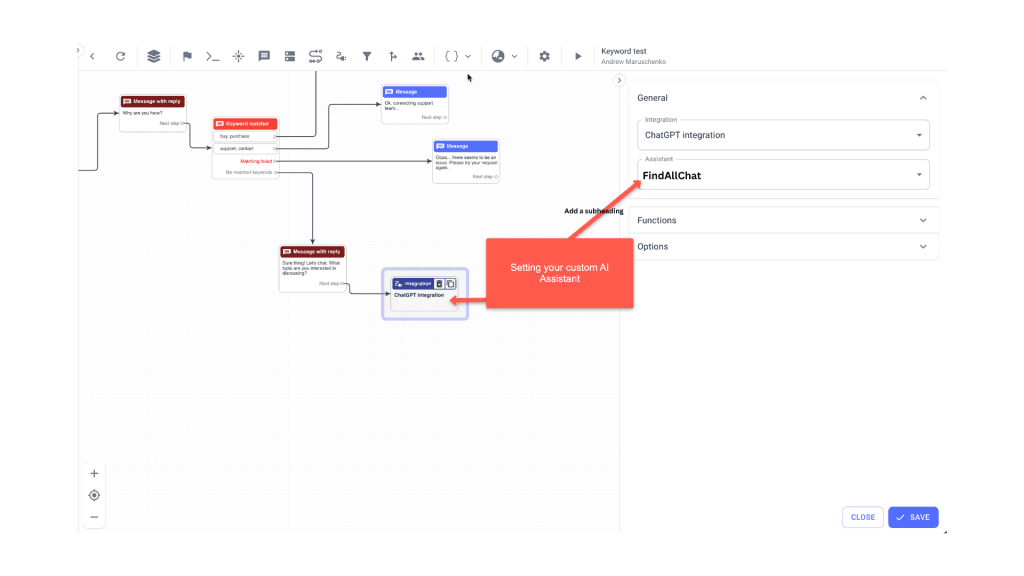
Connecting created AI assistant to the ChatFlow
After creating and processing an assistant, you can integrate it into the chat flow using ChatGPT integration.